Project Details
Tool:
Figma
Apple Magic Keyboard
Overview
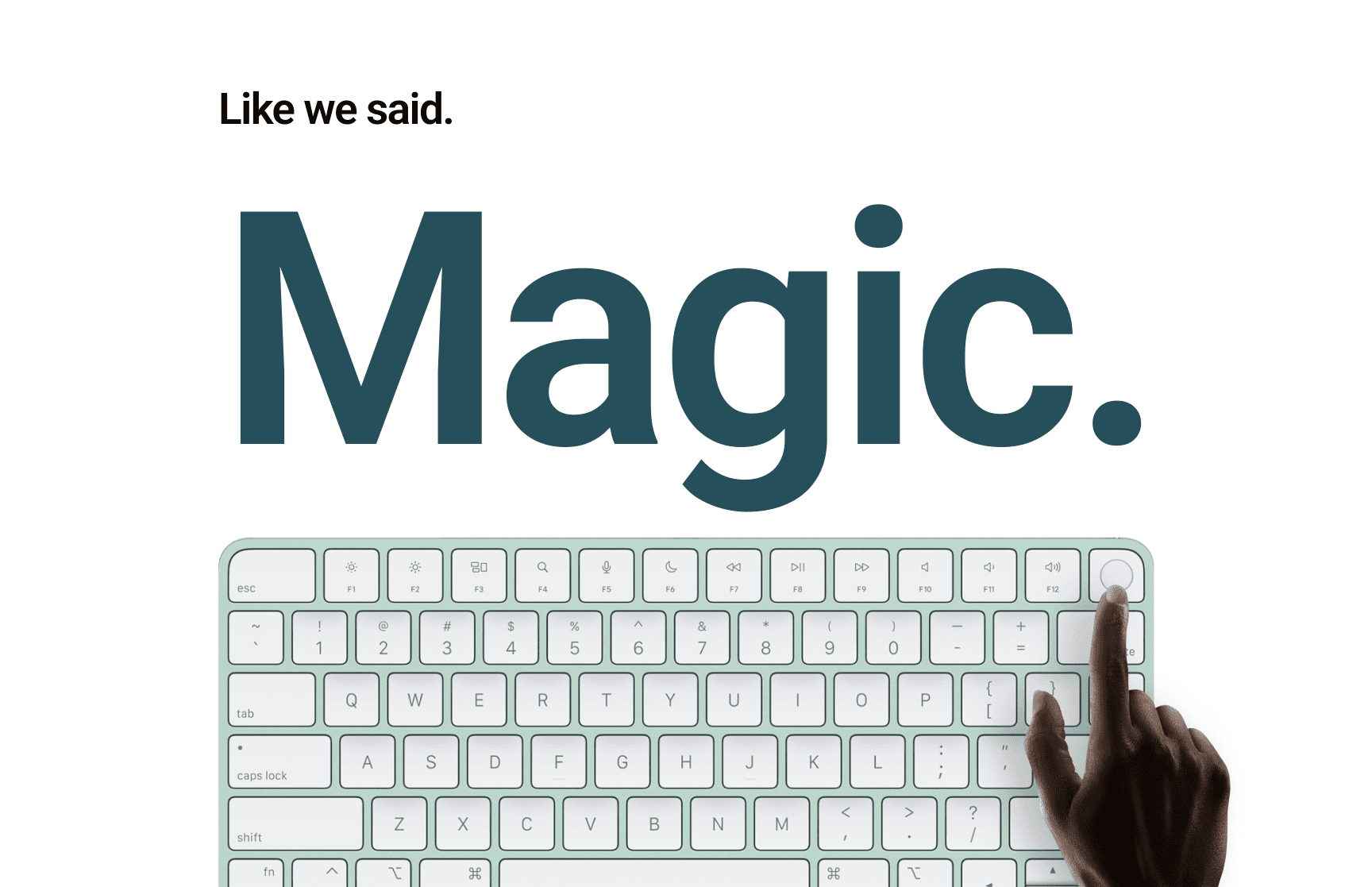
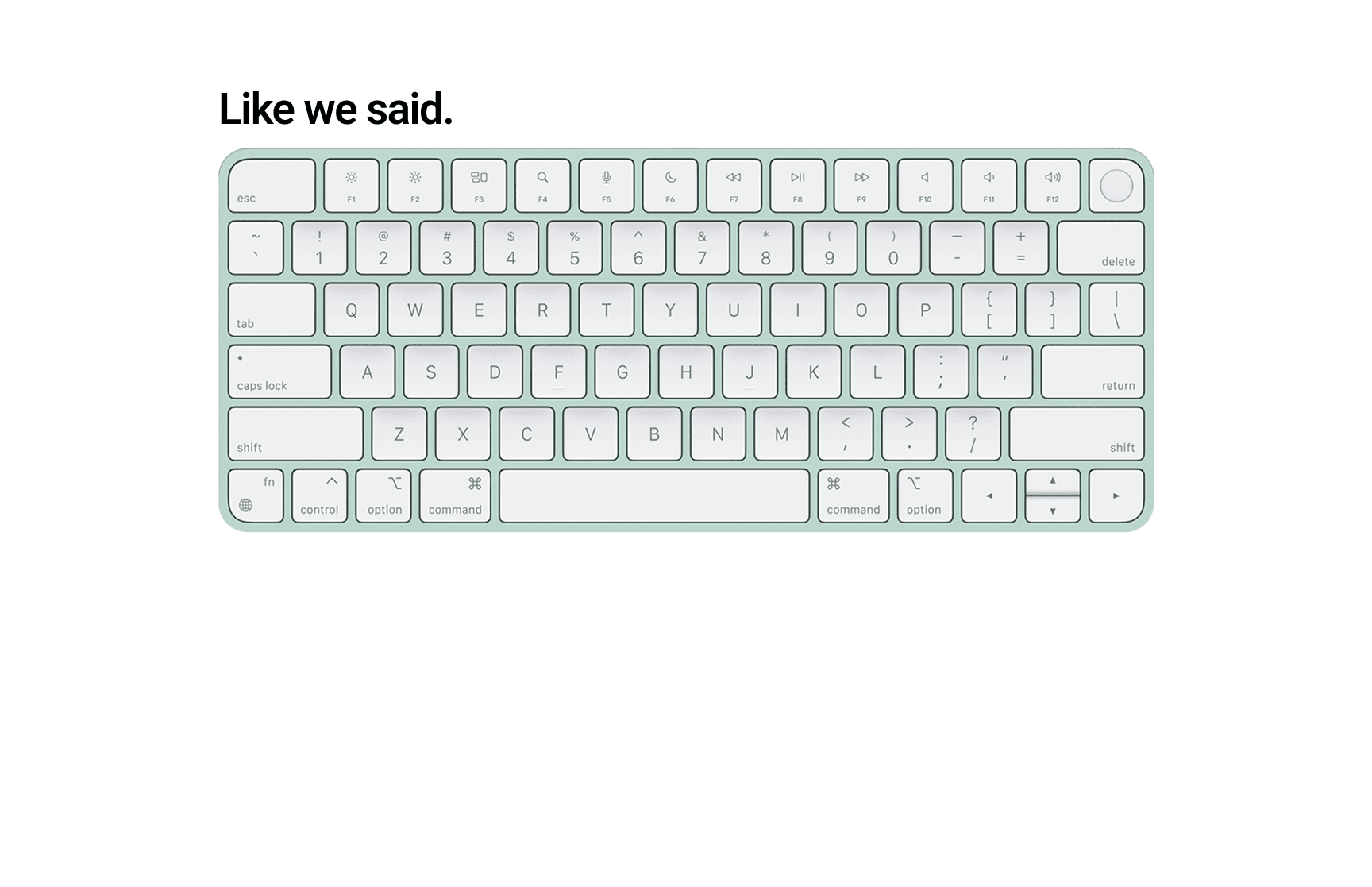
This project focuses on a sleek, minimalist animation showcasing the Apple Magic Keyboard. The goal was to highlight the product’s elegance, functionality, and premium build through smooth, cinematic motion graphics that align with Apple’s brand aesthetic.
The animation was designed to be used for promotional purposes—ideal for social media ads, product pages, or micro-interactions in a website mockup.
Objectives
Capture the essence of Apple’s brand: minimal, elegant, and modern.
Use animation to emphasize design details like key travel, slim profile, and magnetic attachment.
Practice keyframe animation, 3D layering, and easing techniques.
Enhance storytelling through motion while keeping the experience clean and premium.
Design & Style
Color Palette: Monochrome tones with high contrast, mimicking Apple’s signature product showcase style.
Typography: San Francisco-inspired fonts for consistency.
Motion Principles: Used smooth easing, natural acceleration, and cinematic pans to highlight product fluidity.
Objectives
Capture the essence of Apple’s brand: minimal, elegant, and modern.
Use animation to emphasize design details like key travel, slim profile, and magnetic attachment.
Practice keyframe animation, 3D layering, and easing techniques.
Enhance storytelling through motion while keeping the experience clean and premium.
Design & Style
Color Palette: Monochrome tones with high contrast, mimicking Apple’s signature product showcase style.
Typography: San Francisco-inspired fonts for consistency.
Motion Principles: Used smooth easing, natural acceleration, and cinematic pans to highlight product fluidity.
Objectives
Capture the essence of Apple’s brand: minimal, elegant, and modern.
Use animation to emphasize design details like key travel, slim profile, and magnetic attachment.
Practice keyframe animation, 3D layering, and easing techniques.
Enhance storytelling through motion while keeping the experience clean and premium.
Design & Style
Color Palette: Monochrome tones with high contrast, mimicking Apple’s signature product showcase style.
Typography: San Francisco-inspired fonts for consistency.
Motion Principles: Used smooth easing, natural acceleration, and cinematic pans to highlight product fluidity.
Challenges & Learnings
Creating realistic motion that aligns with Apple’s tone was a key challenge.
Focused heavily on timing and transitions to make animations feel smooth and intentional.
Learned how motion design can elevate a simple product story into a visual experience.
Outcome
The final animation successfully represents the Apple Magic Keyboard as a luxurious and functional device. It combines aesthetic appeal with functional storytelling, making it perfect for both product advertising and UI animation practice.
Conclusion
This project allowed me to push the boundaries of visual storytelling through motion. By translating the elegance of Apple’s product design into animation, I gained deeper experience in micro-interaction design, motion timing, and visual branding.
It also reinforced how subtle movements and thoughtful pacing can elevate a product’s perceived value, especially in the tech and lifestyle space.
Challenges & Learnings
Creating realistic motion that aligns with Apple’s tone was a key challenge.
Focused heavily on timing and transitions to make animations feel smooth and intentional.
Learned how motion design can elevate a simple product story into a visual experience.
Outcome
The final animation successfully represents the Apple Magic Keyboard as a luxurious and functional device. It combines aesthetic appeal with functional storytelling, making it perfect for both product advertising and UI animation practice.
Conclusion
This project allowed me to push the boundaries of visual storytelling through motion. By translating the elegance of Apple’s product design into animation, I gained deeper experience in micro-interaction design, motion timing, and visual branding.
It also reinforced how subtle movements and thoughtful pacing can elevate a product’s perceived value, especially in the tech and lifestyle space.
Challenges & Learnings
Creating realistic motion that aligns with Apple’s tone was a key challenge.
Focused heavily on timing and transitions to make animations feel smooth and intentional.
Learned how motion design can elevate a simple product story into a visual experience.
Outcome
The final animation successfully represents the Apple Magic Keyboard as a luxurious and functional device. It combines aesthetic appeal with functional storytelling, making it perfect for both product advertising and UI animation practice.
Conclusion
This project allowed me to push the boundaries of visual storytelling through motion. By translating the elegance of Apple’s product design into animation, I gained deeper experience in micro-interaction design, motion timing, and visual branding.
It also reinforced how subtle movements and thoughtful pacing can elevate a product’s perceived value, especially in the tech and lifestyle space.